Work UX Design Health & Community Lead Designer

Carolina Health Coalition

A community health resource platform helping users discover preventative care needs and connect with local services through a personalized quiz experience.

Role
Lead Designer
Team
Shannon M. (Research)
Darrius H. (Testing)
Scope
Web App Prototype
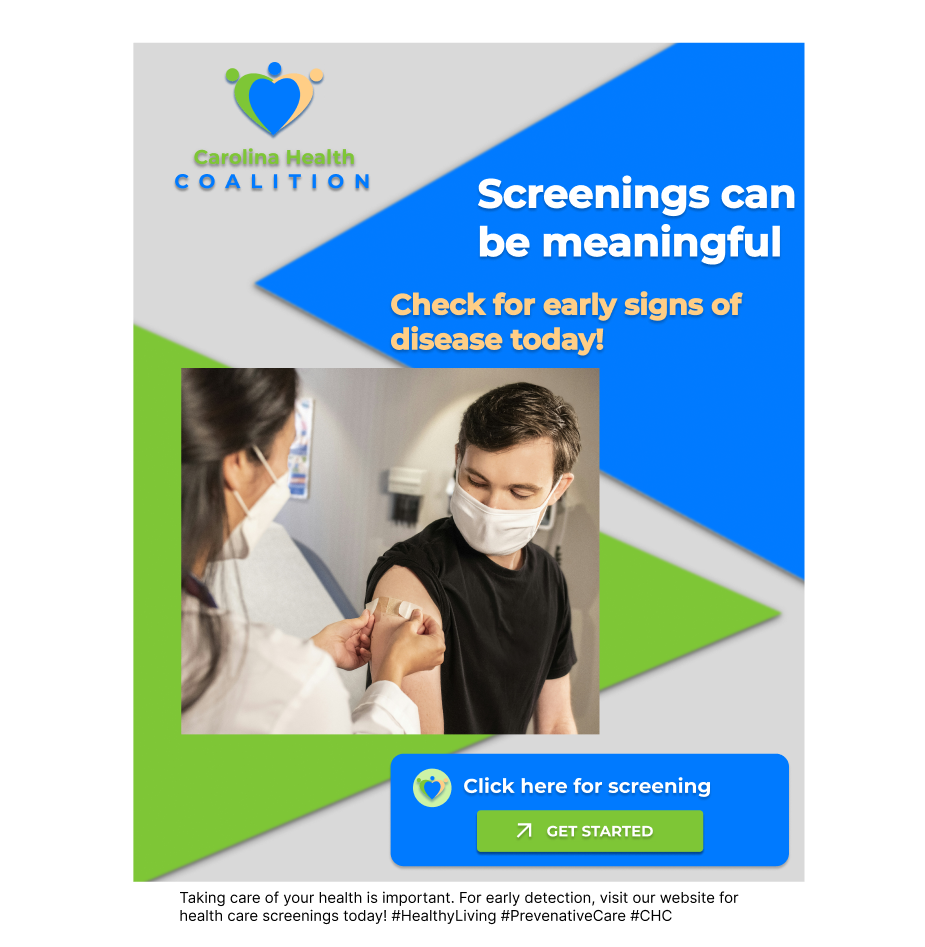
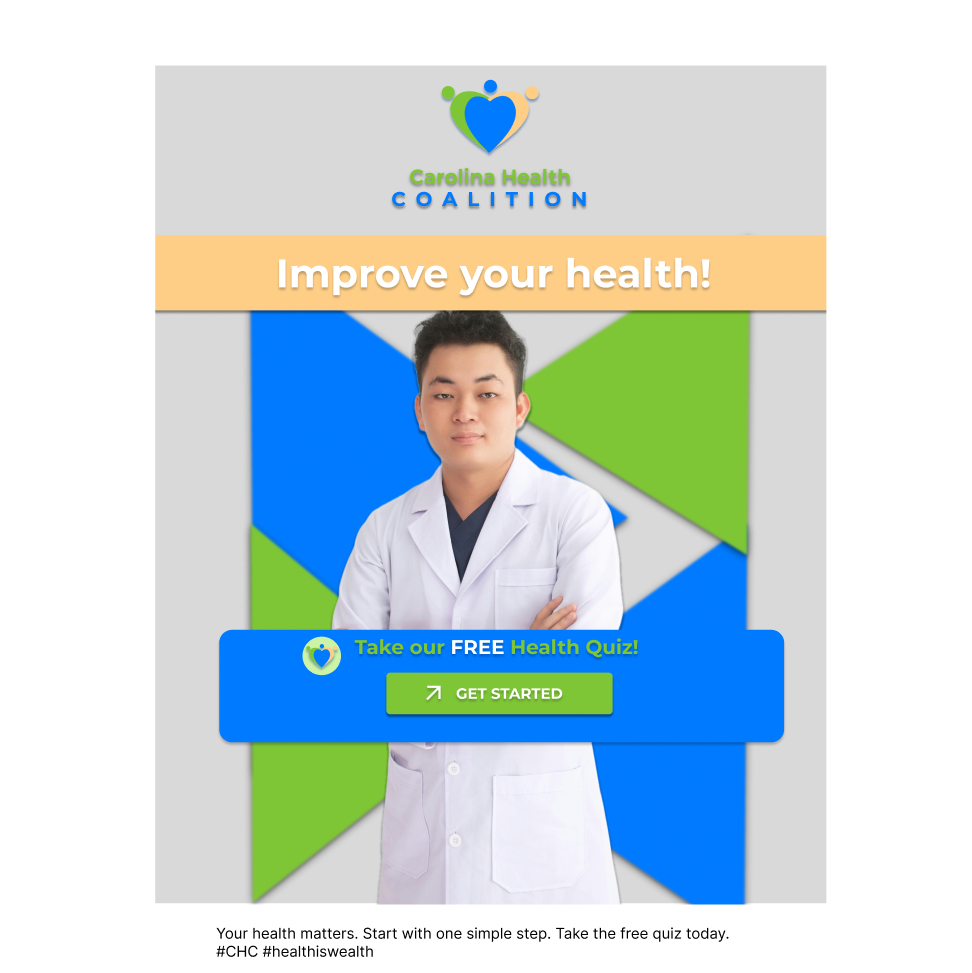
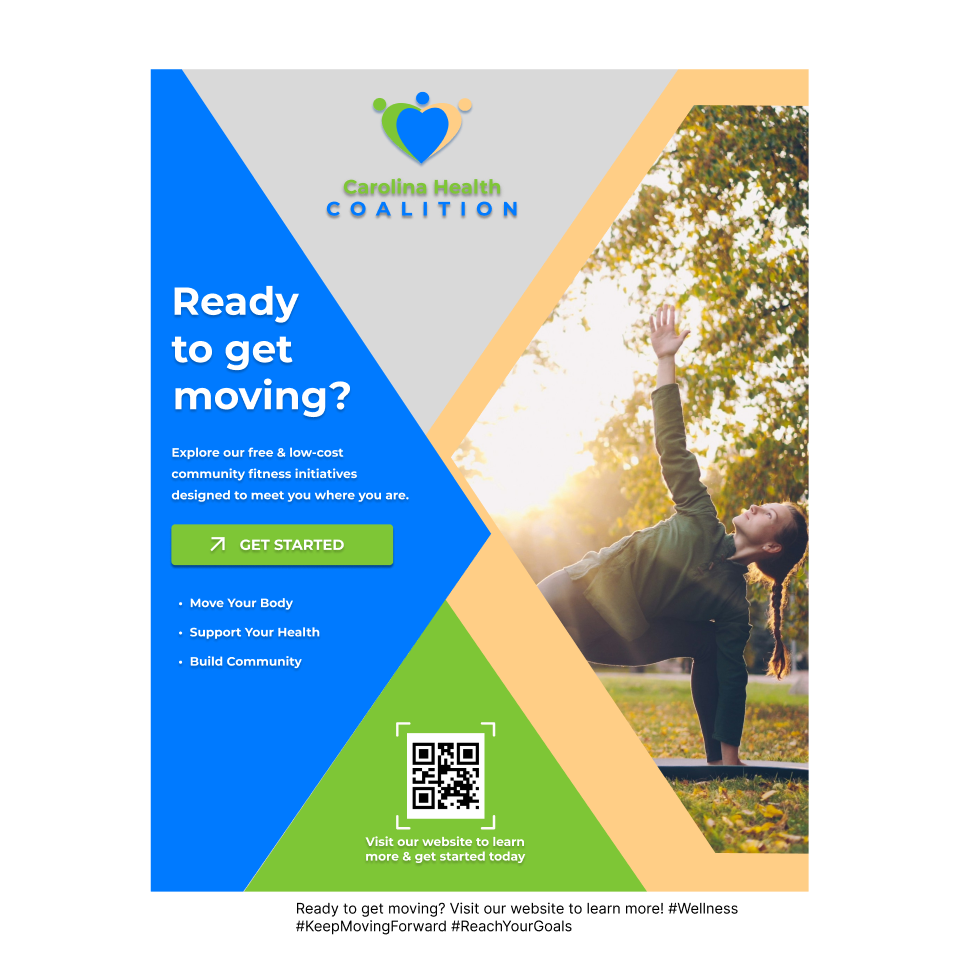
Social Campaign
Course
WEB 289-0001
Carolina Health Coalition — project overview

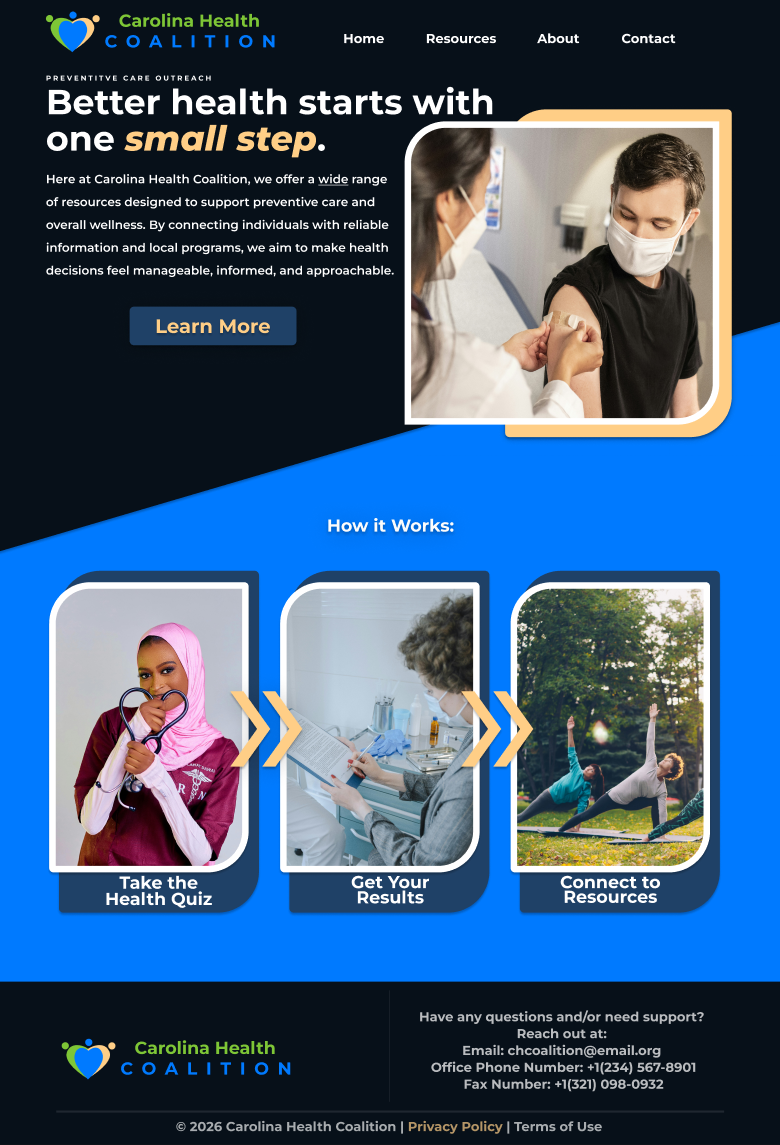
Better health starts with one small step.

This prototype showcases a community-based health resource platform. Carolina Health Coalition allows visitors to discover areas where they should seek preventative care through a short quiz — then connects them to locally-based resources they can trust.

The prototype places emphasis on easy access to information, simple design, and clarity.

01

Problem

Community members had no intuitive route to preventative health resources.

02

Process

User research → Audience definition → User flow mapping → Wireframing → Iterative feedback → Finalized prototype

03

Solution

A simplified online experience that links users to tailored health resources.

04

Impact

Made health information clearer and fostered community connection.

Users need guidance and clarity — not just access.

Primary Research

We conducted a community survey to identify perceived preventative care concerns, collecting responses on barriers, lifestyle habits, and screening awareness.

Initial hypothesis was that provider access would be the primary barrier. Survey data redirected us.

  • Physical activity & fitness (62.5% of respondents)
  • Nutrition / healthy eating (56.3%)
  • High blood pressure (50%)
  • Mental health / stress (43.8%)
  • Obesity / weight management (43.8%)

Secondary Research

We reviewed comparable health coalition websites and evaluated them against clarity, navigation, and engagement standards.

  • Dense language and information overload across comparable sites
  • Limited personalization or guided pathways
  • No quiz or self-assessment mechanisms
  • Weak CTAs and unclear next steps for users
Key Insight
"Users need guidance and clarity — not just access to resources. Knowing where to start matters as much as having somewhere to go."

Two distinct paths into the same problem.

Personas were built from survey data and represent the primary user segments — both arriving with uncertainty, needing different reassurances.

Maria Lopez
42 · Grocery Store Supervisor · Garner, NC
Two children
High school diploma

"I want to take better care of my family and myself, but I need simple steps that fit into our lives."

Goals
  • Build healthier family habits
  • Understand her health risks
  • Access affordable preventative care
Frustrations
  • Limited time
  • Information overload
  • Unclear next steps
  • Healthcare distrust
James Turner
35 · Warehouse Coordinator · Raleigh, NC
Lives with elderly mother
Associates degree

"I know I need to do something about my health, but I need it to be simple and realistic."

Goals
  • Manage blood pressure & weight
  • Find practical next steps
  • Access affordable resources
Frustrations
  • Overwhelmed by complex info
  • Unsure what actually works
  • Cost concerns
  • Avoids long processes

Mid-fi to hi-fi.

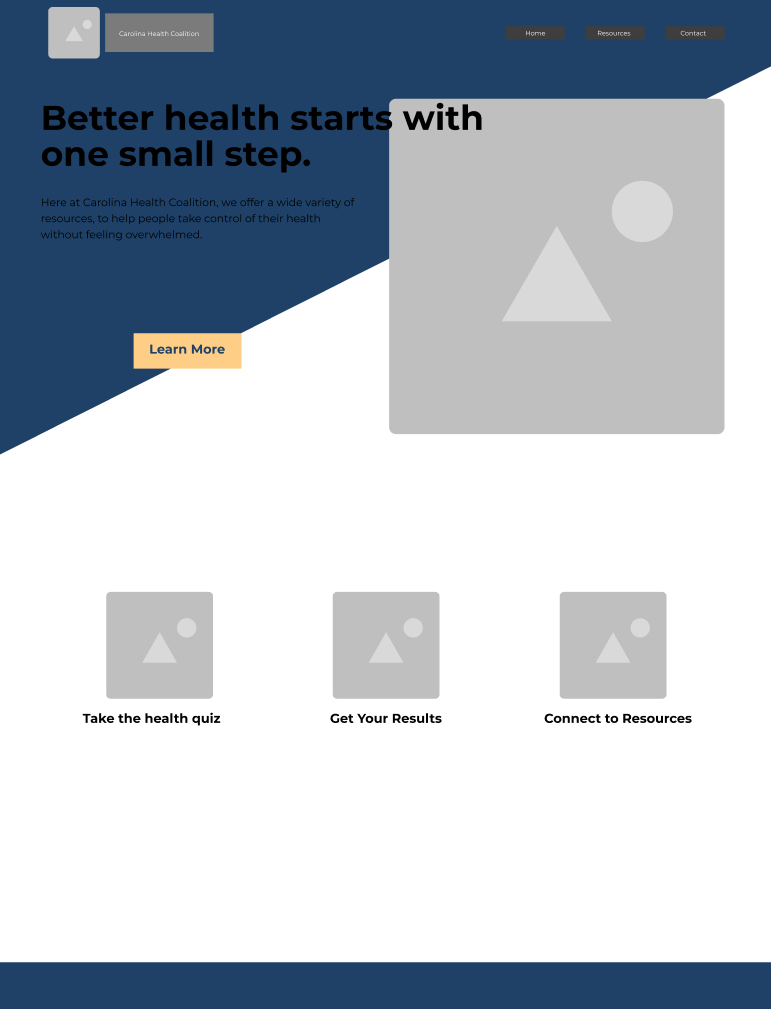
Iterative design process beginning with user flow mapping and moving through two rounds of prototype feedback.

01 User Research
02 Audience Definition
03 Flow Mapping
04 Wireframing & Prototyping
05 Iterative Feedback

Lead Generation Funnel

The user journey was mapped as a 6-stage funnel — from awareness through conversion — ensuring every touchpoint had a clear job to do.

  • Awareness via social media campaign
  • Education through lead magnet page
  • Engagement via health quiz
  • Personalization through risk score output
  • Activation through resource email
  • Conversion via calendar signup / RSVP

Usability Testing

Two participants completed structured task tests covering five task areas, with click paths, observations, quotes, and completion scores documented.

  • Task 1: Find out what CHC is — both completed easily
  • Task 2: Get started with health improvement — smooth path
  • Task 3: Complete the health quiz — checkbox interaction gap found
  • Task 5: Discover additional resources — CTA placement needs work
Mid-fi wireframes Hi-fi prototype

From snapshot to system.

The design system evolved from a basic brand snapshot to a full component library with expanded palette, interactive states, and accessibility documentation.

Color Palette

Montserrat Family
Primary, B&W logo variants
Expanded in updated system

Typography

Montserrat Bold 36pt
H1 / Headings
Montserrat Bold 24pt
Logo lockup
Montserrat Bold 20pt
Body text

Components

  • Primary & navbar button states
  • Static / hover / active inputs
  • Navigation icons
  • Chevron, play, dot, pause icons

Social Media Campaign

Post 1 — Screenings Post 2 — Improve Health Post 3 — Health Quiz

16 improvements. W3C guided.

All improvements were guided by W3C accessibility standards, addressing both visual and structural barriers across the prototype.

01
Grouping related elements for clearer structure
03
Similar functionality treated consistently across pages
05
Unnecessary decorative styles removed
07
3:1 contrast ratio met for large text and UI components
09
Supporting indicators added for interactive states
11
Lowercase letter height maintained for readability
13
Regular and bold font weights only — no italic abuse
15
All body text left-aligned for natural reading
02
Visual consistency enforced across all page templates
04
Clear visual hierarchy established at every breakpoint
06
Color used purposefully, not decoratively
08
4.5:1 contrast ratio met for normal body text
10
Sans-serif typeface selected for screen legibility
12
All-caps usage limited to labels only
14
Pure black (#000000) avoided — off-black used instead
16
1.5 line height applied to all body copy

Clarity as a health intervention.

The platform reduced the cognitive burden of finding health resources by combining personalization, clear hierarchy, and community-grounded content.

16 accessibility improvements applied
6 funnel stages with distinct purpose
2 usability test participants, structured observation
4.75:1 WCAG AA contrast ratio achieved on primary text

What comes after the prototype.

Several key gaps were identified through testing and review that would move the product from prototype to production-ready.

  • Cancellation process for RSVP screenings
  • FAQ page covering common resource questions
  • Multi-appointment booking with a cart feature
  • Proxy booking — reserve an appointment for someone else
  • Newsletter signup for resource news and updates
  • Left-align all remaining centered text blocks
  • Adjust CTA button contrast to meet AA standards
  • Add privacy policy screen to footer

View the hi-fi prototype.

The finalized high-fidelity prototype built in Figma, including all hover states, quiz flow, results page, and resource connection screens.

Figma prototype — click to interact